
Activate your LinkPilot card
Open the permanent LinkPilot URL assigned to your card and begin setup.
Google Review QR + NFC Cards
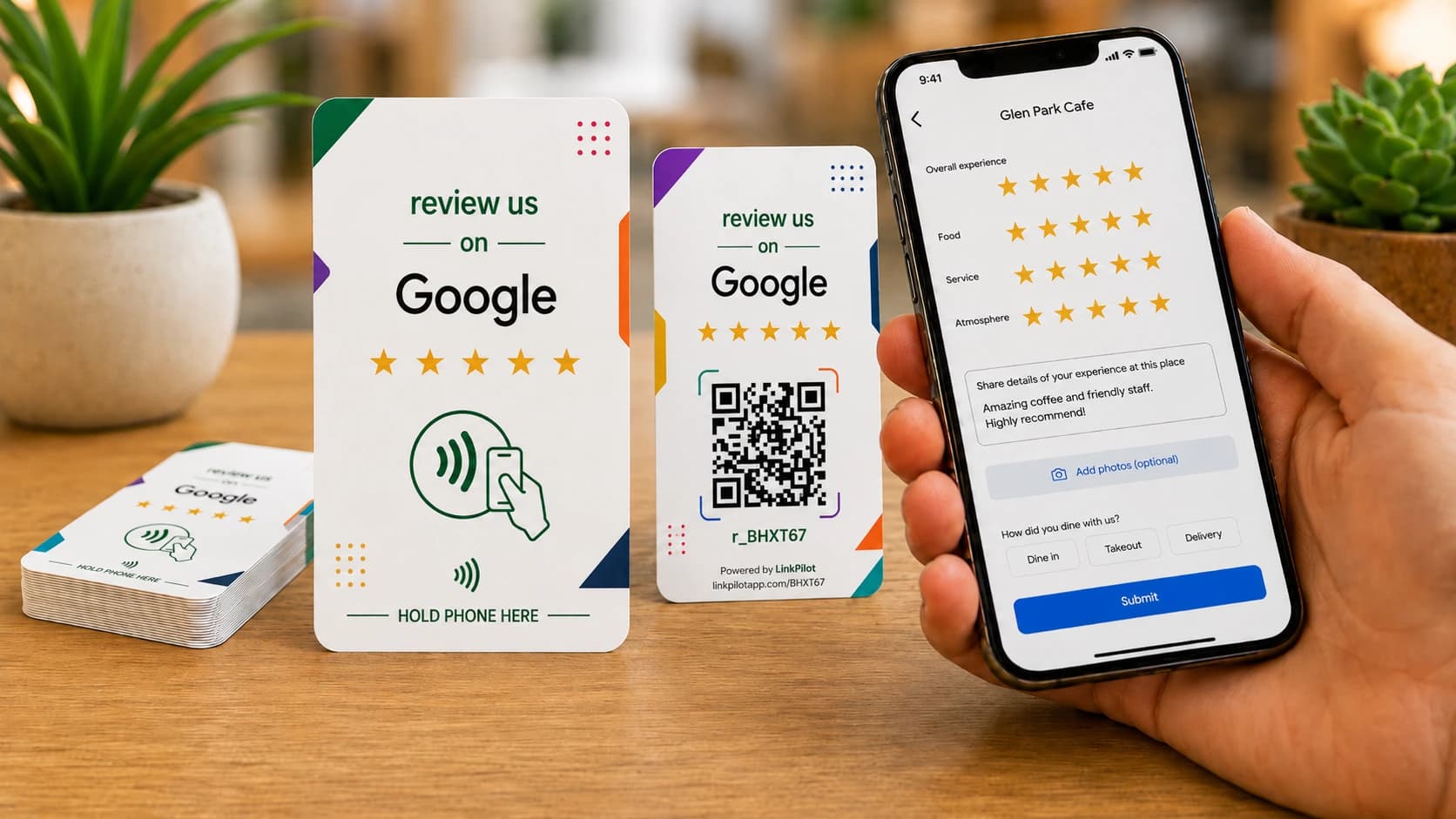
Make it easy for customers to leave a review with a simple tap or scan. Set up your LinkPilot card in minutes and manage everything from one dashboard.
Free scans and taps for the life of your card
Tap or scan
No customer app required
Simple from day one
Activate your card, connect your business, and give customers one effortless way to review.
Open the permanent LinkPilot URL assigned to your card and begin setup.
Search for your business and confirm the right location on an interactive map.
Customers go straight to your Google review flow—no LinkPilot app required.
More than a card
Simple tools for the counter, the table, and the dashboard.
Give happy customers a clear path to your Google review page while the experience is fresh.
Customers can tap with NFC or scan the QR code using the phone they already have.
Change the destination behind your permanent LinkPilot URL whenever your needs change.
See when and how customers interact with your cards from a mobile-friendly dashboard.
Label and manage cards for different counters, teams, or locations in one place.
Google Business search and map selection help you connect the correct location.
QR + NFC review cards
Place cards where customers finish a great experience—at checkout, on the counter, at the table, or with your team.
Hardware + software
LinkPilot combines the simplicity of a physical card with better setup, destination control, and scan visibility.
Search and select your Google Business with map confirmation
Change a card destination without replacing the printed card
Organize and label multiple cards from one dashboard
Review scan activity on desktop or mobile
Scan analytics
QR
NFC

Invite guests to leave a review at the table or checkout.

Make it easy to review a great appointment before leaving.

Place cards at checkout when customer satisfaction is highest.

Collect feedback after classes, sessions, and member visits.

Give customers a simple way to review your local business.
Customer stories
Simple setup, effortless reviews, and one dashboard to manage every QR and NFC card.
“We change our lunch specials three times a week. Now I update one link and every table has the latest menu.”
Maria Gonzalez
Casa Oaxaca · Restaurant
“Guests scan at the front desk and book their next visit before they leave. It is simple for them and easy for my team.”
Jessica Moore
Glow Medspa & Wellness
“I used to replace printed signs whenever a promotion changed. With LinkPilot, the same QR code always stays current.”
Thomas Reed
Harbor Street Coffee
“Customers connect to Wi-Fi without asking for the password, and my staff can focus on serving the next person.”
Aisha Patel
Juniper Work Cafe
“We reuse the same tabletop cards for every open house. I just switch the destination to the new property page.”
David Chen
Bayline Realty Group
“I created the code between customers and added it to our checkout sign. There was nothing complicated to learn.”
Rachel Kim
Willow & Thread Boutique
* Results shown are representative examples based on typical customer outcomes. Individual results may vary.
FAQ
No. Customers use their phone’s camera or NFC capability and continue in their browser.
You need access to the Google Business Profile you want customers to review so you can confirm the correct business during setup.
Yes. Each card uses a permanent LinkPilot URL, so you can update its destination without reprinting the card.
Yes. Every card has its own permanent LinkPilot URL and unique QR code.
NFC works with most modern smartphones. Customers can always use the printed QR code when NFC is unavailable or disabled.
Give customers a faster way to reach your Google review page and manage every card from one place.